注1:本题通过模仿某近期活跃的APT(Advanced Presistent Threat,高级持续性威胁)组织的攻击手法,使题目更符合真实环境,题目设计为不会对系统进行破坏,即使真机运行也不影响,清除方法将在官方wp中给出 注2:为使题目正常运行,请将文件解压到C:\Windows\System32中 注3:本系列除最后一题外其他题目均为问答,不需要包裹ISCTF{}
题目模仿的APT组织中文代号为
微信搜APT分析报告,然后一个一个看过去的,看看哪个是通过lnk挂dll的
目标:C:\Windows\System32\msiexec.exe /i Tje1w TRANSFORMS=fR6Wl /qn
ai
右侧的属性窗口显示了一个PDF文件的属性,文件名为“ISCTF基础规则说明文档.pdf”。该文件的目标路径显示为一个命令行指令,具体内容为:
已知打开 ISCTF基础规则说明文档.pdf.lnk 后就会触发静默安装流程,释放合法的 Zoom 软件和恶意载荷。攻击者为避免引起用户怀疑,在安装结束后会自动打开被释放到 用户文档(Documents) 目录下的 ISCTF基础规则说明文档.pdf 文件。https://www.cnblogs.com/rainyumemo/articles/19340501
第一阶段中使用了一个带有数字签名的文件(非系统文件),其中签名者名称为(完整复制)
第一阶段中恶意载荷释放的文件名分别为(三个文件名使用[文件名1,文件名2,文件名3]通过md5后直接提交)
例如:[123.dat,xxx.zip,asd.pdf],md5之后为83926010f7c37c141ffd145ee7903a68
点击跳转脚本 :脚本分析pyc为python3.12uncompyle6,decompyle3,pycdc都不行我服气了
上终极大法在线网站!!!耶成功了,在此鸣谢四时好学姐嘻嘻
import base64import hashlibimport randomflag = '8d13c398b72151b1dad78762553dbbd59dba9b0b2330b03b401ea4f2a6d4731d479220fe900b520f6b4753667fe1cdf9eff8d3b833a0013c4083fa1ad27d056486702bda245f3c1aa0fbf84b237d8f2dec9a80791fe66625adfe3669419a104cbb67293eaada20f79cebf69d84d326025dd35dec09a2c97ad838efa5beba9e72' YourInput = input ('Please input your flag:' ) enc = '' if len (YourInput) != 24 : print ('Length Wrong!!!' ) exit(0 ) def Rep (hash_data ): random.seed(161 ) result = list (hash_data) for i in range (len (result) - 1 , 0 , -1 ): swap_index = random.randint(0 , i) result[i], result[swap_index] = (result[swap_index], result[i]) return '' .join(result) for i in range (len (YourInput) // 3 ): c2b = base64.b64encode(YourInput[i * 3 :(i + 1 ) * 3 ].encode('utf-8' )) hash = hashlib.md5(c2b).hexdigest() enc += Rep(hash ) if enc == flag: print ('Your are win!!!' ) else : print ('Your are lose!!!' )
import base64import hashlibimport randomimport stringdef Rep (hash_data ): random.seed(161 ) result = list (hash_data) for i in range (len (result) - 1 , 0 , -1 ): swap_index = random.randint(0 , i) result[i], result[swap_index] = (result[swap_index], result[i]) return '' .join(result) s_orig = "0123456789abcdefghijklmnopqrstuv" s_scrambled = Rep(s_orig) inv_map = [0 ] * 32 for i, char in enumerate (s_scrambled): inv_map[i] = s_orig.index(char) def InvRep (scrambled_str ): orig_list = ['' ] * 32 for i, char in enumerate (scrambled_str): orig_index = inv_map[i] orig_list[orig_index] = char return '' .join(orig_list) charset = string.printable md5_map = {} count = 0 total = len (charset) ** 3 print ("Precomputing MD5 map..." )for c1 in charset: for c2 in charset: for c3 in charset: s = c1 + c2 + c3 base64_data = base64.b64encode(s.encode('utf-8' )) md5_hash = hashlib.md5(base64_data).hexdigest() md5_map[md5_hash] = s count += 1 if count % 100000 == 0 : print (f"Progress: {count} /{total} " ) print ("Precomputation done." ) enc_flag = '8d13c398b72151b1dad78762553dbbd59dba9b0b2330b03b401ea4f2a6d4731d479220fe900b520f6b4753667fe1cdf9eff8d3b833a0013c4083fa1ad27d056486702bda245f3c1aa0fbf84b237d8f2dec9a80791fe66625adfe3669419a104cbb67293eaada20f79cebf69d84d326025dd35dec09a2c97ad838efa5beba9e72' segments = [enc_flag[i:i+32 ] for i in range (0 , len (enc_flag), 32 )] result_chars = [] for i, segment in enumerate (segments): original_md5 = InvRep(segment) if original_md5 in md5_map: s = md5_map[original_md5] result_chars.append(s) print (f"Segment {i} found: {s} " ) else : print (f"Segment {i} not found!" ) result_chars.append("???" ) flag = '' .join(result_chars) print ("The flag is:" , flag)
小曲冒着生命风险,读入了一个神秘的 payload.dat文件,为了不枉费小曲的艰辛……,你能逆向出被加密的秘密吗?
程序结构 : challenge 是一个 ELF 64位程序。
加密算法 :
程序包含两个核心函数: rc4_variant 和 xor_cycle 。
rc4_variant 是 RC4 算法的一个变种。其 KSA(密钥调度算法)被修改为: j = (j + S[i] + key[i % key_len] + (i & 0xaa)) % 256 (标准 RC4 没有 + (i & 0xaa) 这一项 )。
xor_cycle 是标准的循环异或加密。
密钥提取 :
通过分析二进制代码,发现栈上构建了两个字符串:
P4ssXOR
Secr3tK3 后追加了 y! ,组成 Secr3tK3y! 。
经过尝试, Secr3tK3y! 是 RC4 变种的密钥, P4ssXOR 是异或循环的密钥。
解密逻辑 :
payload.dat 的内容需要经过两层解密:
使用密钥 Secr3tK3y! 进行 rc4_variant 解密。
使用密钥 P4ssXOR 进行 xor_cycle 解密。
(由于都是异或运算,顺序互换结果相同)。
data = [0xF1 , 0xC6 , 0x52 , 0xAC , 0xAB , 0x33 , 0xEE , 0x68 , 0x73 , 0xCE , 0xA5 , 0x3F , 0x0E , 0x0E , 0xB7 , 0xFD , 0xC7 , 0x31 , 0xBE , 0x9A , 0xA7 , 0xE8 , 0xD4 , 0x1F , 0xE0 , 0x4B , 0x31 , 0x54 , 0xFF , 0x7C , 0xCC , 0xD2 , 0x16 , 0x0B , 0x40 , 0x34 , 0xE6 , 0xB8 , 0x15 , 0xBF ] rc4_key = "Secr3tK3y!" xor_key = "P4ssXOR" def rc4_variant_decrypt (data, key ): S = list (range (256 )) key_len = len (key) j = 0 for i in range (256 ): temp = S[i] j = ( (i & 0xAA ) + j + S[i] + key[i % key_len] ) % 256 S[i] = S[j] S[j] = temp i = 0 j = 0 keystream = [] for _ in range (len (data)): i = (i + 1 ) % 256 j = (j + S[i]) % 256 S[i], S[j] = S[j], S[i] k = S[(S[i] + S[j]) % 256 ] keystream.append(k) return [data[idx] ^ keystream[idx] for idx in range (len (data))] rc4_decrypted = rc4_variant_decrypt(data, [ord (c) for c in rc4_key]) xor_decrypted = [] for i in range (len (rc4_decrypted)): xor_key_byte = ord (xor_key[i % len (xor_key)]) xor_decrypted.append(rc4_decrypted[i] ^ xor_key_byte) result_bytes = bytes (xor_decrypted) null_index = result_bytes.find(b'\0' ) if null_index != -1 : result_bytes = result_bytes[:null_index] result_str = result_bytes.decode('utf-8' , errors='ignore' ) print ("解密结果:" , result_str)
try : from mypy import check def main (): user_input = input ('Please input your flag: ' ).strip() if check(user_input): print ('Correct!' ) return None if __name__ == '__main__' : main() except ImportError: print ('Error: Cannot import mypy module' ) exit(1 )
彩虹顺序
古代的图片顺序反下
base58
input_ = r'E:\chrome\access\access.log' output = r'E:\chrome\access\a' import reimport osimport syslog_path = r"E:\chrome\access\access.log" output_path = r"E:\chrome\access\b.7z" def parse_log (): segments = {} current_segment = None try : with open (log_path, 'r' ) as f: for line in f: seg_match = re.search(r"Attacker uploading segment\s+(\d+)" , line) if seg_match: current_segment = int (seg_match.group(1 )) continue data_match = re.search(r"File data segment:\s*([0-9a-fA-F]+)" , line) if data_match and current_segment is not None : hex_data = data_match.group(1 ) segments[current_segment] = hex_data current_segment = None except Exception as e: print (f"Error reading log: {e} " ) return sorted_ids = sorted (segments.keys()) print (f"Found {len (sorted_ids)} segments." ) sys.stdout.flush() full_hex = "" for seg_id in sorted_ids: full_hex += segments[seg_id] try : binary_data = bytes .fromhex(full_hex) with open (output_path, 'wb' ) as f: f.write(binary_data) print (f"Successfully wrote {len (binary_data)} bytes to {output_path} " ) header = binary_data[:16 ] log_msg = f"File header: {header.hex ()} \n" print (log_msg) with open (r"E:\chrome\access\log_output.txt" , "w" ) as log_file: log_file.write(log_msg) if header.startswith(b'\x89PNG\r\n\x1a\n' ): log_file.write("Detected PNG file.\n" ) elif header.startswith(b'\xff\xd8\xff' ): log_file.write("Detected JPG file.\n" ) elif header.startswith(b'PK\x03\x04' ): log_file.write("Detected ZIP file.\n" ) else : log_file.write("Unknown file type.\n" ) except Exception as e: print (f"Error converting hex to bytes: {e} " ) sys.stdout.flush() if __name__ == "__main__" : parse_log()
""" 一键剥洋葱:把“尾部带 The password is XXX”的多轮加密压缩包自动解压到最后一层。 Windows / Linux / macOS 通用,已规避 Windows 下 unzip -P 不兼容问题。 依赖: pip install rarfile py7zr 系统需安装 7z 和 unrar(rar/7z 格式用),zip 用 Python 内置 zipfile。 用法: python unzip_nested.py 外层.zip """ import osimport reimport shutilimport subprocessimport sysimport zipfilefrom pathlib import Pathtry : import rarfile import py7zr except ImportError as e: sys.exit(e) PASSWORD_RE = re.compile (rb"The password is (.+?)\s*$" , re.MULTILINE) WORK_DIR = Path("work_dir" ) def extract_password (file_path: Path ) -> str | None : """从文件尾部 512 字节里提取密码""" with file_path.open ("rb" ) as f: f.seek(-512 , 2 ) tail = f.read() m = PASSWORD_RE.search(tail) return m.group(1 ).decode() if m else None import shutildef unpack (archive: Path, dest: Path, pwd: str ) -> Path | None : suffix = archive.suffix.lower() try : sevenz = r"E:\app-down\7-Zip\7z.exe" if not sevenz: sys.exit("找不到 7z 命令,请先安装 7-Zip 并把安装目录加入 PATH" ) cmd = [sevenz, "x" , "-p" + pwd, "-y" , "-o" + str (dest), str (archive)] subprocess.run(cmd, check=True , capture_output=True ) except subprocess.CalledProcessError as e: print (f"[ERROR] 7z 解压失败: {e.stderr.decode(errors='ignore' )} " ) return None except Exception as e: print (f"[ERROR] 解压失败: {e} " ) return None items = [x for x in dest.iterdir() if not x.name.startswith("." )] return items[0 ] if len (items) == 1 and items[0 ].is_dir() else dest def main (archive_path: Path ): current = archive_path.resolve() depth = 1 WORK_DIR.mkdir(exist_ok=True ) while True : print (f"\n===== 第 {depth} 层: {current.name} =====" ) pwd = extract_password(current) if not pwd: print ("未找到密码提示,已到最后一层(或格式异常)。" ) break print (f"提取到密码: {pwd} " ) round_dir = WORK_DIR / f"round_{depth} " if round_dir.exists(): shutil.rmtree(round_dir) round_dir.mkdir() extracted = unpack(current, round_dir, pwd) if not extracted: print ("解压失败,终止。" ) break candidates = sorted (extracted.rglob("*.zip" )) + \ sorted (extracted.rglob("*.7z" )) + \ sorted (extracted.rglob("*.rar" )) if not candidates: print ("本轮解压后未找到新的压缩包,任务完成。" ) print (f"所有结果保存在: {WORK_DIR.resolve()} " ) break current = candidates[0 ] depth += 1 if __name__ == "__main__" : main(Path(r"E:\chrome\attachment\flagggg999\flagggg998\flagggg997.zip" ))
root@A1gorithm:/home/a1gorithms/Desktop/workingplace# 7z l -slt flagggg3.zip 7-Zip [64] 16.02 : Copyright (c) 1999-2016 Igor Pavlov : 2016-05-21 p7zip Version 16.02 (locale=en_US.UTF-8,Utf16=on,HugeFiles=on,64 bits,2 CPUs Intel(R) Core(TM) i9-14900HX (B0671),ASM,AES-NI) Scanning the drive for archives: 1 file, 561 bytes (1 KiB) Listing archive: flagggg3.zip -- Path = flagggg3.zip Type = zip Physical Size = 561 Comment = The password is... wait , I forgot! But you must know what's inside, right? ·Ò룺ÃÜÂëÊÇ... µÈµÈ£¬ÎÒÍüÁË£¡µ«ÊÇÄã¿Ï¶¨ÖªµÀÀïÃæÓÐʲô£¬¶Ô°É£¿ ---------- Path = flagggg2.zip Folder = - Size = 254 Packed Size = 266 Modified = 2025-12-02 23:28:23 Created = 2025-12-02 23:28:23 Accessed = 2025-12-02 23:28:23 Attributes = A Encrypted = + Comment = CRC = C9F988C3 Method = ZipCrypto Store Host OS = FAT Version = 20 Volume Index = 0
echo -n "flagggg2.zip" > plain1.txttime bkcrack -C flagggg3.zip -c flagggg2.zip -p plain1.txt -o 46 -x 0 504B0304 >1.log &tail -f 1.log
我们确定flagggg1.zip在压缩包flagggg2.zip中,并且偏移量为30,压缩包的头为504B0304https://www.cnblogs.com/fen9/p/19327443
echo -n "flagggg1.zip" > plain1.txttime bkcrack -C flagggg3.zip -c flagggg2.zip -p plain1.txt -o 30 -x 0 504B0304 > 1.log tail -f 1.log
注意time在window里是用不了的因为有内置功能占用此名
好烦widnow的bkcrack失败了装个linux的试试
bkcrack -C flagggg3.zip -c flagggg2.zip -k ae0c4b27 66c21cba b9a7958f -d flagggg2.zip
谕言2:
文件尾zip爆破
我不理解我一万个不理解我当时也试过了呀服气了下回用wps别用word了
我不理解栅栏这么解密等于号前面的是干啥的。。。
ISCTF{DoNotTrustTitan_HopeYouMakeTherightChoice_FindMyGiftForYou}
压缩包密码解压:ISCTF{1e7553787953e74113be4edfe8ca0e59}
a = b'*********' b = b'blueshark' c = bytes ([x ^ y for x, y in zip (a, b)]) print (c.hex ())
b = b'blueshark' c_hex = '53591611155a51405e' c = bytes .fromhex(c_hex) a = bytes ([x ^ y for x, y in zip (c, b)]) print (a)
import osuser_word_file = r"E:\chrome\小蓝鲨的神秘文件\ChsPinyinUDL.dat" output_file = "user_words.txt" with open (user_word_file, "rb" ) as fp, open (output_file, "w" , encoding="utf-8" ) as userword: data = fp.read() cnt = int .from_bytes(data[12 :16 ], byteorder='little' , signed=False ) user_word_base = 0x2400 for i in range (cnt): cur_idx = user_word_base + i * 60 word_len = int .from_bytes(data[cur_idx + 10 :cur_idx + 11 ], byteorder='little' , signed=False ) word = data[cur_idx + 12 :cur_idx + 12 + word_len * 2 ].decode("utf-16" ) userword.write(word + "\n" ) print (f"词库已导出到 {output_file} " )
帮我优化这段代码
不要乱动我的代码
不要动我原来的代码
出题人说弗莱格在官网
出题人说弗莱格在那里
官网的新闻里
弗莱格
还有一些项目合作的机会
福州蓝鲨信息技术有限公司
机会是留给有准备的人
看看官网的新闻吧
你把简历投了再说
你去看看新闻动态呢
你去找辅导员问问
你去蓝鲨官网看看呗
你这个脚本跑不了啊
他们招实习的
这次比赛你参加了吗
真的可以去试试
在我原来的基础上修改
这搜索引擎就欺负我吧就是搜不到哼
借鉴(搬运)大佬敲打ai成果
import numpy as npfrom PIL import ImageINPUT_IMAGE_PATH = r"E:\chrome\小蓝鲨的二维码\enc.png" OUTPUT_IMAGE_PATH = "restored.png" def generate_zigzag_indices (n ): """生成 n x n 矩阵的全局 Zigzag 扫描坐标顺序""" indices = [] for s in range (2 * n - 1 ): if s % 2 == 0 : start_i = min (s, n - 1 ) end_i = max (0 , s - n + 1 ) for i in range (start_i, end_i - 1 , -1 ): j = s - i if 0 <= j < n: indices.append((i, j)) else : start_i = max (0 , s - n + 1 ) end_i = min (s, n - 1 ) for i in range (start_i, end_i + 1 ): j = s - i if 0 <= j < n: indices.append((i, j)) return indices def zigzag_1d_to_2d (zigzag_array, n ): """将长度为 n*n 的一维 Zigzag 序列还原为 n x n 图像""" if len (zigzag_array) != n * n: raise ValueError(f"输入长度应为 {n * n} ,实际为 {len (zigzag_array)} " ) img = np.zeros((n, n), dtype=zigzag_array.dtype) indices = generate_zigzag_indices(n) for idx, (i, j) in enumerate (indices): img[i, j] = zigzag_array[idx] return img def main (): img_in = Image.open (INPUT_IMAGE_PATH).convert('L' ) w, h = img_in.size if w != h: raise ValueError(f"图像必须是正方形,当前尺寸: {w} x{h} " ) n = w pixels_1d = np.array(img_in).flatten() restored = zigzag_1d_to_2d(pixels_1d, n) img_out = Image.fromarray(restored.astype(np.uint8), mode='L' ) img_out.save(OUTPUT_IMAGE_PATH) print (f"✅ 还原完成!已保存到: {OUTPUT_IMAGE_PATH} " ) if __name__ == "__main__" : main()
ISCTF{fbf1a6d6-95e4-4a1c-95fd-7d2f03a16b20}
老师布置了个修复fat32文件系统磁盘的作业,给了磁盘恢复工具的同时又给了静谧之眼 ,优秀的小蓝鲨能发现被破坏的地方以及藏在里面的信息吗?
ufs scan for lost file
isctf{f@t32_file5y5tem}
错了
很鬼畜的方法丢word里面拉伸一下嘿嘿就镜像翻转了
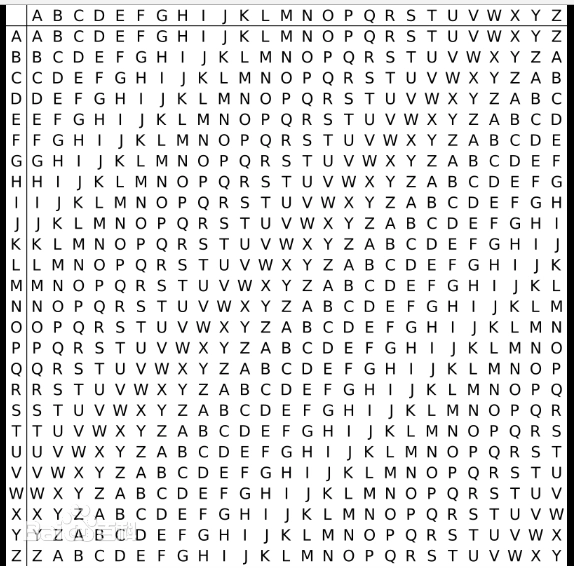
发现QKEMK大写,盲猜这是ISCTF,但是第二个字符和第五个字符又是一样的,猜测是维吉尼亚密码,而且正好密码也是ISCTF就可以把QKEMK转换成ISCTF,最后得到flaghttps://www.cnblogs.com/fen9/p/19327443
Jar包解压掉,然后找到GameOverView类,点开即送。
a = [5 , 20 , 7 , 1 , 103 , 111 , 10 , 28 , 10 , 22 , 52 , 59 , 10 , 0 , 38 , 48 , 10 , 22 , 16 , 10 , 29 , 48 , 39 , 48 , 116 , 40 ] b = '' for i in a: b += chr (int (i)^ 85 ) print (b)
当时思路没错,但没to hex就是c
from Crypto.Util.number import *import gmpy2c = 7551149944252504900886507115675974911138392174398403084481505554211619110839551091782778656892126244444160100583088287091700792873342921044046712035923917 n = 7644027341241571414254539033581025821232019860861753472899980529695625198016019462879314488666454640621660011189097660092595699889727595925351737140047609 e = 65537 def factor (n ): a = gmpy2.iroot(n, 2 )[0 ] while 1 : B2 = pow (a, 2 ) - n if gmpy2.is_square(B2): b = gmpy2.iroot(B2, 2 )[0 ] p = a + b q = a - b return p, q a += 1 p,q=factor(n) f = (p - 1 ) * (q - 1 ) d = gmpy2.invert(e, f) m = pow (c, d, n) print (long_to_bytes(m))
你需要懂点AI和密码学
ai解
这个无后缀文件的十六进制数据十分混乱,不具备任何合理的文件头和文件结构,但同时这个文件的大小又十分规整。对此,常参与电子取证比赛的师傅会比较容易猜到这是一个 VC 容器。
I know you understand the pixel is very powerful, or let’s have a showdown?
爆破压缩包密码123456
puzzlesolver使用题:cloackedpixel -> rockyou.txt 字典得到 key